Learning Outcomes
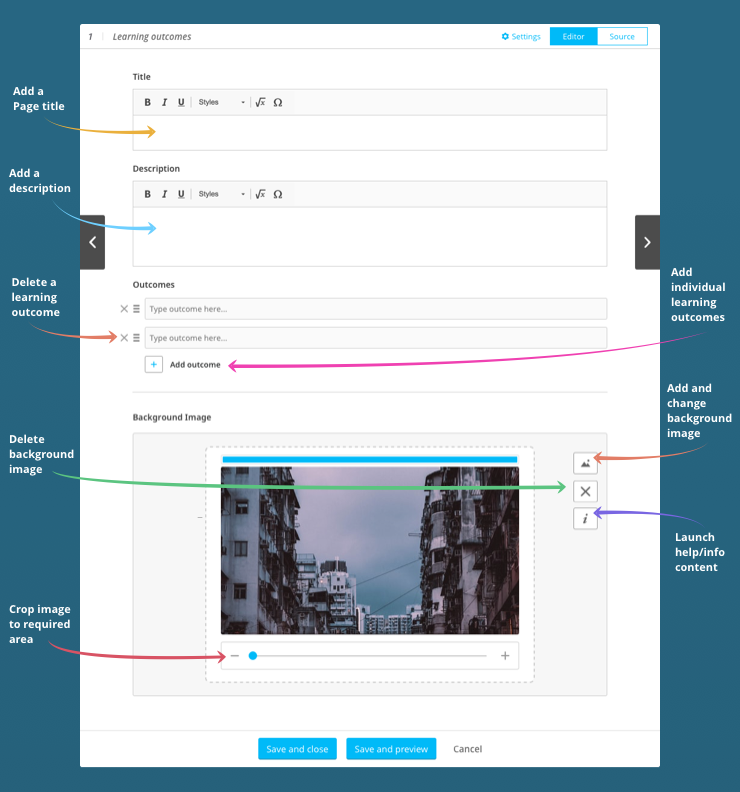
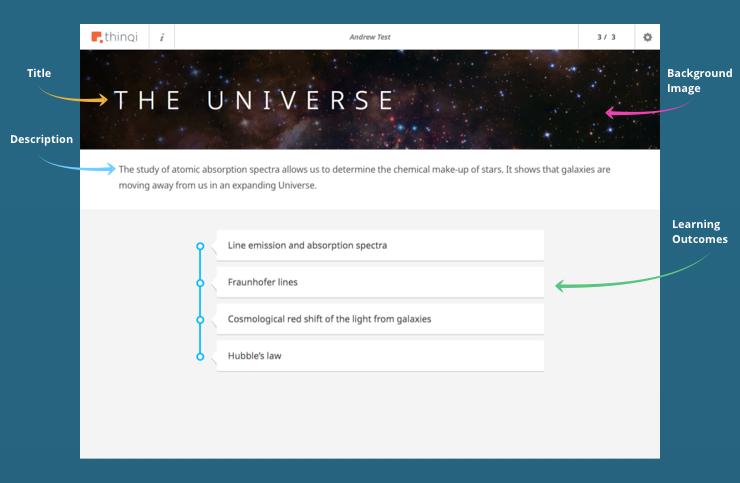
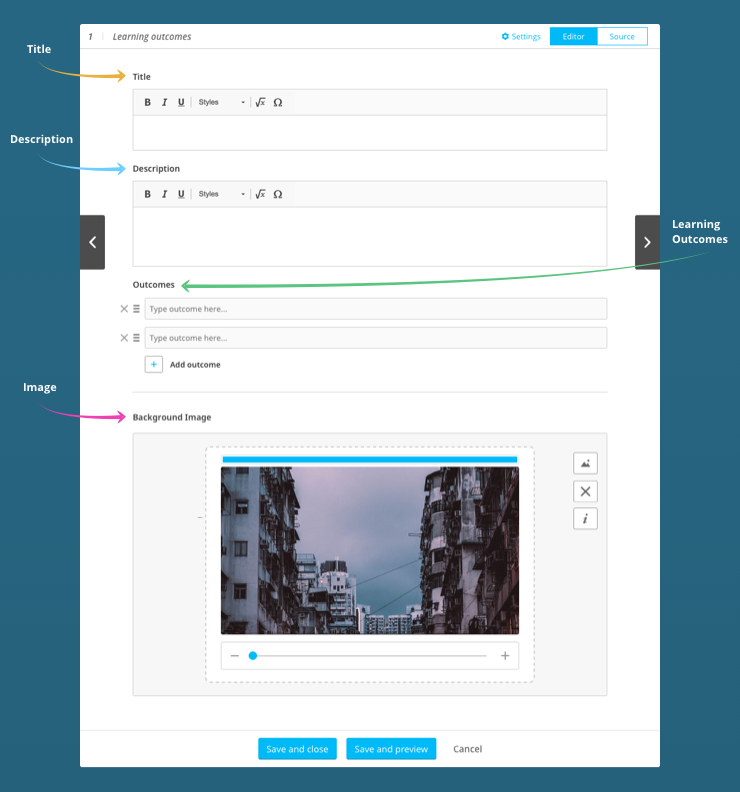
This content block is a simple way to present a list of the learning objectives for the Playlist. The authoring tool allows you to choose the title, description, specific learning outcomes and background image.
A Learning Outcomes page looks like this:
This is how the form used to author a Learning Outcomes page looks:
Can I add multiple learning outcomes?
Yes. Clicking on the ‘Add outcome’ icon will add another field for you to enter additional learning objectives.
Can I change the order of the learning outcomes?
Yes. You can drag the learning outcomes into any order you like.
Can I remove a learning outcome once I’ve added it?
Yes. Simply click on the ‘x’ icon next to the learning outcome that you want to remove.
How do I create a Learning Outcomes page?
Add a Learning Outcomes page to the Playlist Storyboard, then click on  and author the Learning Outcomes page as shown below: